- Bluetooth 5.1: pairs inside the app
- iPhone and Android
- Torque, Car Scanner, OBD Fusion
An iPhone ignores the classic blue ELM327 mini, however long you wait in the Bluetooth menu. Minis built on Bluetooth LE, Bluetooth 5.1 or a Wi-Fi hotspot connect fine, as long as the app does the connecting.
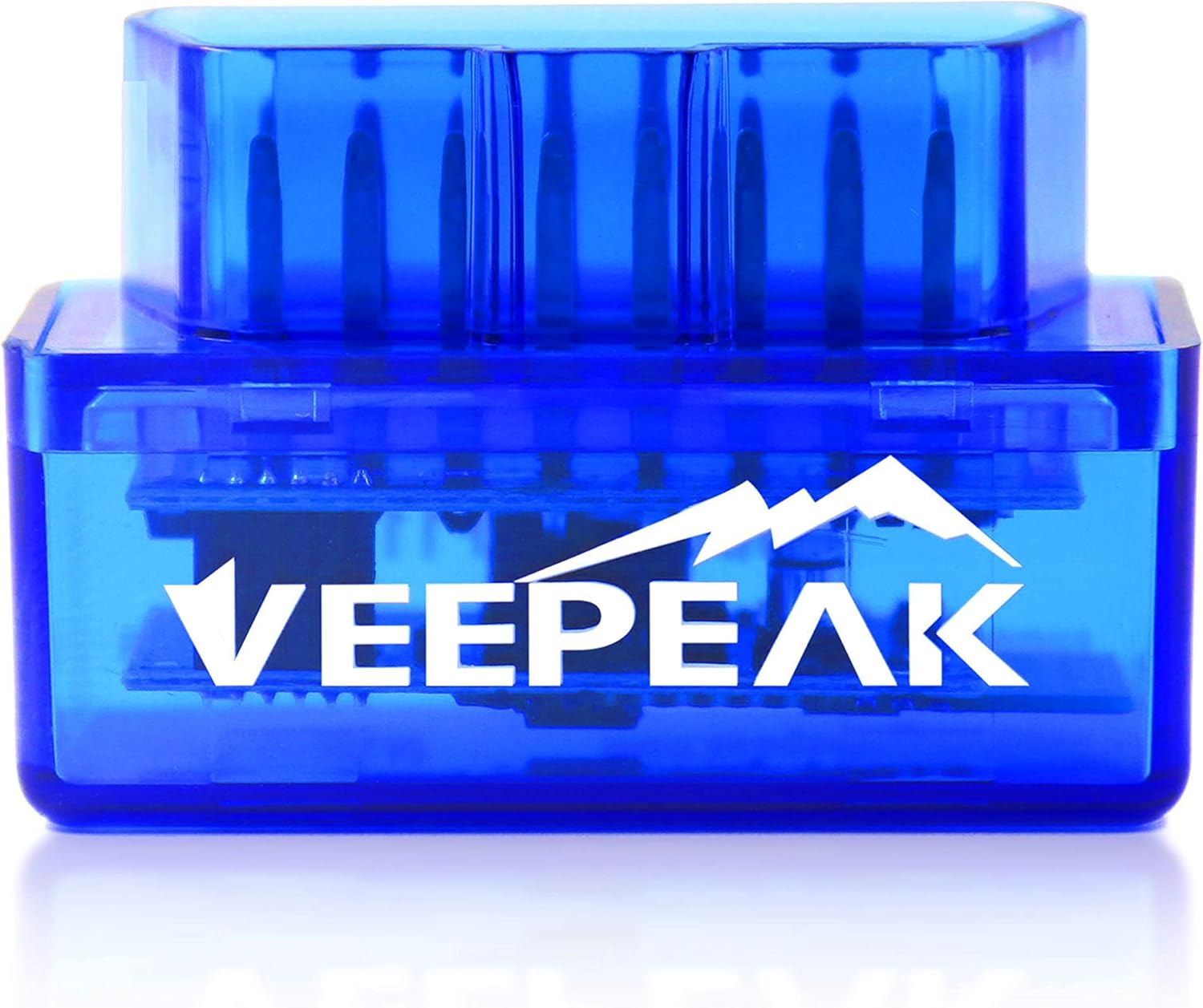
Checked September 2026iOS keeps Classic Bluetooth serial dongles away from apps, so the Android minis, Veepeak's VP11 included, never connect. Pick a mini that says Bluetooth LE or 5.1 and names iOS, such as the ViaBecs or the Panlong PL-B04, or a Wi-Fi mini. Connect from inside Car Scanner, OBD Fusion or YMOBD, never from iPhone Settings.
Classic Bluetooth minis talk over the serial port profile, and iOS keeps that profile closed to ordinary apps. Only accessories inside Apple's MFi program get through, and no budget ELM327 mini is one of them.
That is why the Veepeak VP11 carries a plain warning: not for iPhone or iPad. The same holds for the Panlong B02 V1.5, the blue v2.1 clones and the PIC18F25K80 super minis. The iPhone's Bluetooth menu does not offer them, and no app can open the link.
A newer Bluetooth number on the box does not by itself mean LE. Dual-mode chips can carry both kinds, so look for the words iOS, iPhone or Bluetooth LE in the description, not just a 4.0 or 5.0.
A household with one Android phone and one iPhone can still share a single dongle, as long as it is an LE or Wi-Fi mini. A Classic mini serves only the Android side, however good its firmware.
Owners who already have a Classic mini are not stuck. An old Android phone or a cheap Android tablet left in the car runs Torque or Car Scanner on it perfectly well.
| Mini | Link | iPhone | Where it connects |
|---|---|---|---|
| Veepeak VP11 | Classic Bluetooth 3.0 | No | Android phones and tablets only |
| Panlong B02 V1.5 | Classic Bluetooth | No | Android and Windows |
| Blue ELM327 mini (v2.1 clone) | Classic Bluetooth, PIN 1234 | No | Android |
| Super Mini V1.5 (PIC18F25K80) | Classic Bluetooth | No | Android |
| ViaBecs mini | Bluetooth 5.1 (LE) | Yes | Inside the app |
| Panlong PL-B04 | Bluetooth LE | Yes | Inside the app, one tap in YMOBD |
| B02-KD | Bluetooth 5.1 | Yes | Inside YMOBD |
| Wi-Fi mini | Wi-Fi hotspot | Yes | iPhone Wi-Fi first, then the app |
Link types from each maker's own description; Veepeak gives Bluetooth 3.0 (Classic) in its spec sheet.
An iPhone-ready mini skips the pairing screen entirely. ViaBecs puts it in one line: on iPhone or iPad, connect inside the app using Bluetooth LE.
YMOBD needs even less. Panlong calls it one click to pair and connect on the PL-B04, and it keeps several dongles apart if a second car has its own. BLE minis of this kind connect without pairing, so no PIN is asked.
If the scan list stays empty, work through three checks in order.
The ViaBecs Bluetooth 5.1 mini adds a note for Android: some apps there still want the dongle paired as OBDII first. On iOS that step never exists, which makes the iPhone setup the shorter of the two.
ViaBecs Mini ELM327 Bluetooth 5.1 |
Panlong Mini BLE for iPhone |
B02-KD Mini Bluetooth 5.1 |
ELM327 Mini Wi-Fi |
Veepeak Mini | |
| Link | Bluetooth 5.1 | Bluetooth LE | Bluetooth 5.1 | Wi-Fi | Bluetooth |
| iPhone | Yes | Yes | Yes | Yes | No |
| Android | Yes | Yes | Yes | Yes | Yes |
| Windows | — | — | Yes | — | — |
| In the box | 1 dongle | 1 dongle | 1 dongle | 1 dongle | 1 dongle |
| Open the deal | Open the deal | Open the deal | Open the deal | Open the deal |
The ELM327 mini Wi-Fi version works on any iPhone because it never touches Bluetooth. It creates its own network, the phone joins it, and the app reaches the ELM327 at a fixed address.
That address and port are the usual defaults for Wi-Fi ELM327 minis, and the maker's own iOS steps use them. A unit with other values prints them on its paper insert.
Wi-Fi brings trade-offs on an iPhone. While the phone sits on WiFi_OBDII, iOS may mark it as offline, and phones differ on whether mobile data carries on. Maps and streaming can stall until you disconnect.
OBD Fusion and DashCommand read the Wi-Fi mini on iOS, and Car Scanner handles it with its Wi-Fi setting. For owners who want a steady link and mobile data during the same drive, a BLE mini is usually the easier daily partner.
iOS also asks for local network access the first time a Wi-Fi app looks for the dongle. Deny it by accident and the app never finds 192.168.0.10, so switch it back on in that app's entry in Settings.
The B02-KD names iOS, Android and Windows, runs Bluetooth 5.1 on a dual-board 25K80 chipset and covers gasoline and diesel cars. Its maker builds the setup around the YMOBD app.
Open the dealTorque, the app most Android minis are sold with, has never had an iPhone version. On iOS the working set is YMOBD, Car Scanner ELM OBD2, DashCommand and OBD Fusion, plus a few narrower tools.
| iOS app | Free to start | Good at |
|---|---|---|
| Car Scanner ELM OBD2 | Yes | Codes, live data, vehicle profiles |
| YMOBD | Yes | One-tap connection, all freeze frames, data playback |
| OBD Fusion | No | Logging, gauges, add-on packs for some makes |
| DashCommand | No | Dashboards and performance screens |
| Dr. Prius | Free tier | Toyota and Lexus high-voltage pack readings |
The ELM327 mini app iPhone owners install first is usually Car Scanner, since its free tier reads and clears codes on any BLE or Wi-Fi mini. YMOBD is the natural pick for the Panlong, ViaBecs and B02-KD minis, whose makers write their setup steps around it.
Panlong's list for iPhone runs longer still, adding OBD Auto Doctor, Carista, EOBD Facile and inCarDoc. They all read the same ELM327 responses, so the choice comes down to layout and which paid extras you want.
Full settings for both phones, including Torque on Android, sit in the ELM327 mini app setup.
The mini shells look alike, so the words on the box decide whether an iPhone will ever see one. Run these five checks in order and the Android-only minis drop out at the first.
Among the minis here, three pass on Bluetooth: the ViaBecs, the Panlong PL-B04 and the B02-KD. The Wi-Fi mini passes on its hotspot. Everything else is Android-only by design.
For ELM327 mini iOS support, chip claims matter less than the link. The B02-KD names a dual-board 25K80 chipset, but that detail does not help if the app cannot open the connection in the first place.
Need the PIN or the pairing order for an Android mini in the same house? The mini manual covers both, step by step.
Only the Bluetooth LE, Bluetooth 5.1 and Wi-Fi versions do. The blue Classic Bluetooth minis, Veepeak's VP11 included, cannot connect to iOS.
BLE minis never appear there; they connect inside the app. A Classic mini does not appear at all, because iOS keeps that kind of link closed to apps.
The WiFi_OBDII network has no password. In the app, the dongle answers at 192.168.0.10, port 35000, unless the insert gives other values.
Car Scanner ELM OBD2 or YMOBD to start, both free; OBD Fusion or DashCommand for logging and gauges. Torque is not available on iPhone.
Often, but not always, since the hotspot has no internet and iOS decides how to route data. A Bluetooth LE mini avoids the question entirely.