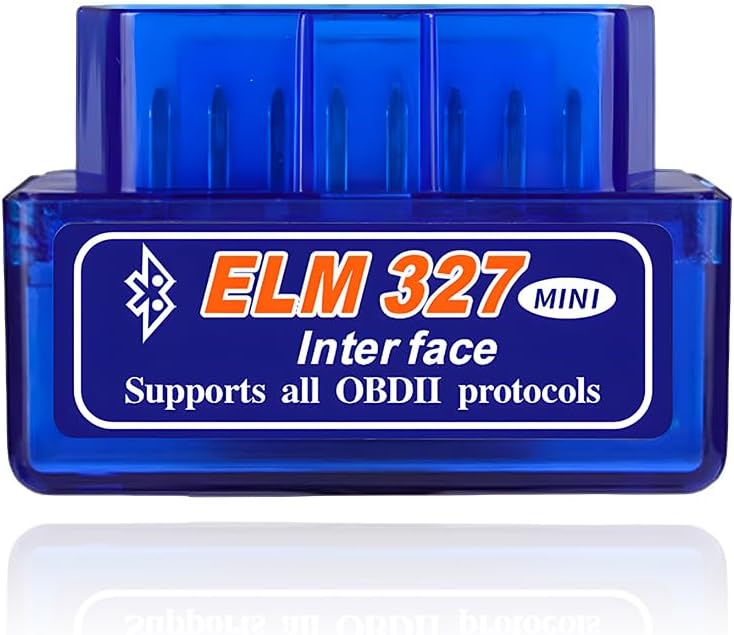
- Classic Bluetooth, PIN pairing
- Android only, not for iPhone
- Torque, Car Scanner, OBD Fusion
The paper in an ELM327 mini's box is often a slip with a PIN and an app name. The missing parts are the pairing order, the codes clones use besides 1234, and whether the dongle can stay plugged in.
Checked September 2026Classic Bluetooth minis take PIN 1234; if that is refused, try 0000, then 6789. Pair with the ignition on, choose OBDII or ELM327 in the phone's Bluetooth menu, then pick the same name inside the app. Bluetooth LE and Wi-Fi minis ask for no PIN at all.
Classic Bluetooth minis ask for a four-digit code the first time a phone pairs, and on most of them it is 1234. KVAEY, BWBWND and JOYING all print that number in their own setup steps.
Unbranded clones sometimes use a different default. If 1234 is refused, try the other two common codes before blaming the dongle.
The PIN number for ELM327 mini dongles is fixed in the Bluetooth module rather than chosen by you, so there is nothing to reset if you forget it. It also offers little protection: anyone who knows the default can pair while the mini has power. That is one more reason to pull it out when the car is parked on a busy street.
Bluetooth LE and Bluetooth 5.1 minis skip the PIN. The Panlong PL-B04 and the ViaBecs connect from inside the app with no code screen. The Wi-Fi mini's hotspot has no password either, a detail its maker states outright.
Where the password is a field rather than a prompt, as on some Android head units, type 1234 into it before starting the search. JOYING lists the password in the spec line of its head-unit mini, right next to its 5–10m range.
| Link | Code | Where you pair | Example mini |
|---|---|---|---|
| Classic Bluetooth | 1234; some clones 0000 or 6789 | Phone Bluetooth menu, then the app | Blue v2.1 mini, Super Mini V1.5 |
| Classic Bluetooth, head unit | 1234 | Stereo Bluetooth menu, then Torque | JOYING v2.1 |
| Bluetooth LE / 5.1 | None | Inside the app only | ViaBecs, Panlong PL-B04, B02-KD |
| Wi-Fi | No hotspot password | Phone Wi-Fi, then the app | WiFi_OBDII mini |
PIN 1234 is printed by KVAEY, BWBWND and JOYING for their minis; 0000 and 6789 are the fallbacks on some unbranded clones.
Most pairing failures come from doing the steps out of order. The mini needs power from the port before the phone can see it, and the app needs a paired device before it can pick one.
Panlong adds a useful exception. If OBDII does not show in the phone's list, run the app anyway, since it can find the mini on its own. Car Scanner can start pairing from its adapter settings for the same reason.
Android 12 and newer ask each app for Nearby devices permission. Refuse it and the app sees no Bluetooth at all. Veepeak's notes for Android 13 go a step further: set both Bluetooth and Bluetooth Legacy to unrestricted battery use, or the system may cut the link.
Veepeak Mini |
Panlong B02 Mini V1.5 |
Blue ELM327 Mini (V2.1 Clone) |
ELM327 Mini for Android Head Units |
Super Mini ELM327 V1.5 (PIC18F25K80) | |
| Link | Bluetooth | Bluetooth | Bluetooth | Bluetooth | Bluetooth |
| iPhone | No | No | — | — | — |
| Android | Yes | Yes | Yes | Head unit | Yes |
| Firmware | — | v1.5 | — | v2.1 | v1.5 |
| Chip named | — | — | — | — | PIC18F25K80 |
| In the box | 1 dongle | 1 dongle | 1 dongle | 1 dongle | 1 dongle |
| Open the deal | Open the deal | Open the deal | Open the deal | Open the deal |
Once the app says connected, the mini is only a messenger. The useful work is reading the right screens in the right order, so the evidence survives until you know what lit the lamp.
Clearing first wipes the freeze frame and resets the readiness monitors. A car taken for an emissions test soon after a clear can fail on incomplete monitors, even with nothing wrong.
The mini reads the engine and emissions side through standard OBD-II. Veepeak spells out what stays out of reach: ABS, airbags, TPMS, transmission, HVAC and service resets. Those need a brand-level tool, not a different app on the same dongle.
Which app suits each of these steps depends on your phone. The app setup notes compare Car Scanner, Torque Lite and OBD Fusion on the mini, menu by menu.
Mount the phone rather than holding it when live data runs on the road. A second person reading the screen is better still.
Two blue minis in one box, each with PIN 1234 and the ELM327 name. Leave one in each car and unpair the idle one when the phone moves between them.
Open the dealThe OBD-II port has a pin wired straight to the battery, so a plugged-in mini stays powered with the car locked. Whether that matters depends on how much current the dongle draws while idle and whether it ever sleeps.
JOYING gives a working current of 45mA for its mini, one of the few figures any mini maker prints. At that rate a 60Ah battery loses half its charge in about four weeks, and the car's own standby draw shortens that further. Cold weather, an older battery or short daily trips cut the margin again.
Some minis power down on their own. The Wi-Fi mini's maker says it sleeps after half an hour without communication and calls it plug-and-leave. The genuine ELM327 chip has a low-power mode, but clone boards do not always make the Bluetooth module follow it, so a sleeping chip can sit beside an awake radio.
A mini hanging from the port can catch a knee as well. The short shells sit close to the dash, but check that yours clears your leg and the pedals before driving with it plugged in.
The Veepeak VP11 and the other Classic minis give no sleep figure at all. Without one, the safe habit is to unplug.

Most minis pair under the same name, OBDII or ELM327, so a phone that knows one dongle can grab the wrong one or none at all. Panlong's instruction is short: unpair OBDII in the phone's Bluetooth settings before you use a second scanner.
The blue v2.1 mini comes in two-packs for this reason, one dongle living in each car. With two paired devices sharing a name, apps like Torque may connect to whichever the phone lists first.
YMOBD sidesteps the chore on the Bluetooth LE minis: Panlong says it manages and switches between several scanners. The Wi-Fi mini needs its own routine, as its maker describes it: disconnect the Wi-Fi and close the app after one car, then rejoin the network once the dongle sits in the next.
A two-pack also covers a failed unit. Clones do die, usually from a knock or a cracked shell, and a spare in the glovebox keeps the phone setup unchanged: same PIN, same name, same app.
For iPhone owners, the iPhone setup notes explain which minis connect with no pairing at all.
1234 on most Classic Bluetooth minis. If it is refused, try 0000, then 6789.
No. The WiFi_OBDII hotspot is open; the app then connects to 192.168.0.10, port 35000.
Plug it in, turn the ignition on, pair OBDII in the phone's Bluetooth menu with 1234, then choose the same device in the app's connection settings.
For a car driven daily on a good battery, usually yes. Pull it when the car stands idle for a week or more, or the battery is getting old, since many clones never fully sleep.
Make sure the key is at ON and the mini's light is lit. Some minis only appear inside the app, and BLE minis never appear in phone settings.