Best minis
Android ELM327 mini · Classic Bluetooth 3.0

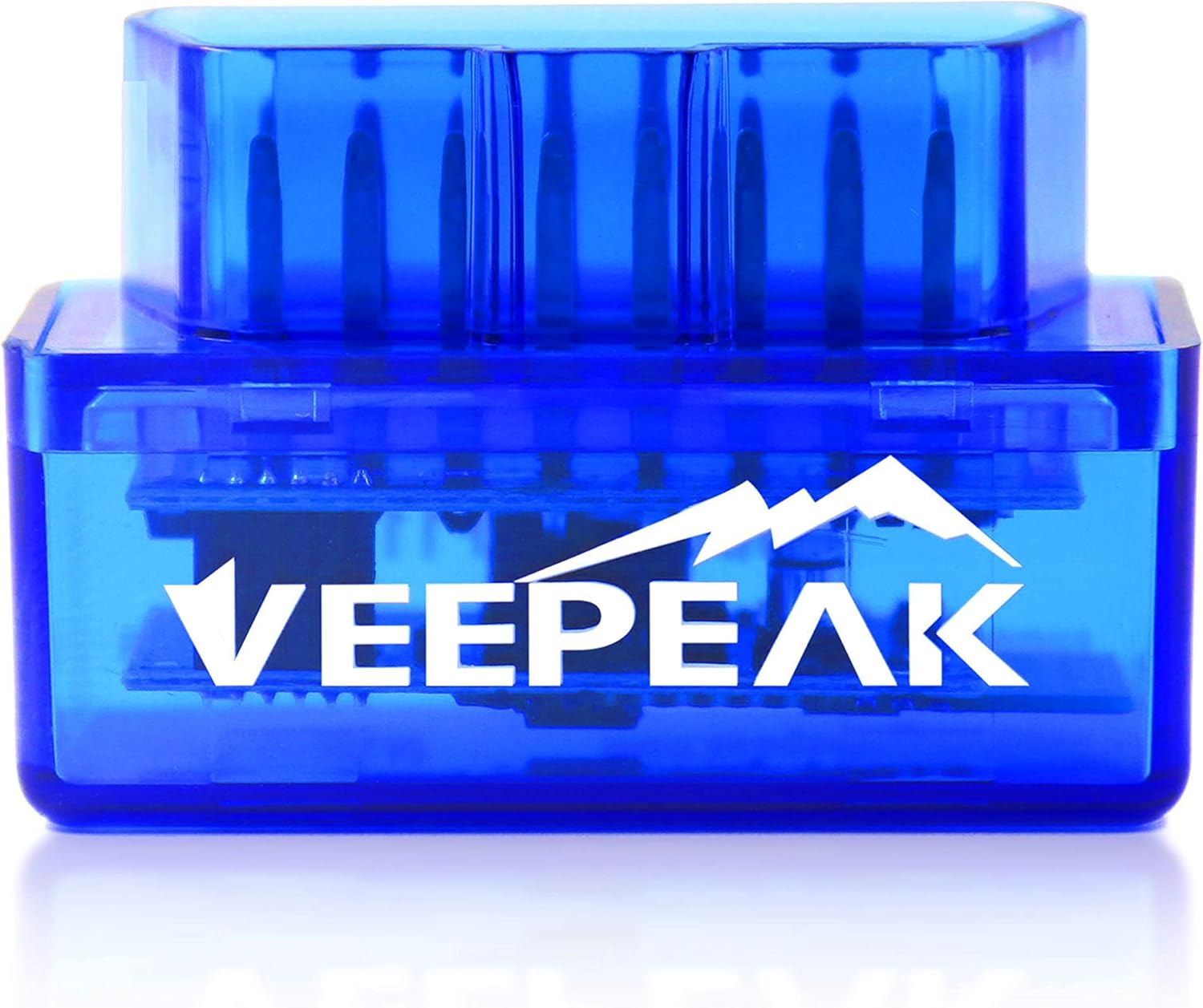
Veepeak Mini (VP11)

The mini most Android owners reach for first: a VP11 that sits flush under the dash, speaks Classic Bluetooth to Car Scanner or Torque, and says plainly that it will not talk to an iPhone.

  • ModelVeepeak OBDCheck VP11
  • LinkBluetooth 3.0 (Classic)
  • PhonesAndroid phones and tablets, not iOS
  • AppsCar Scanner, Torque, OBD Fusion, Dr. Prius
  • CoverageGeneric engine data, US cars 1996 on
  • Size1.89 × 0.98 × 1.26 in, 1.12 oz
Pairs well with
  • You drive with an Android phone and want Car Scanner or Torque gauges
  • You want codes, freeze frame and readiness before an emissions test
  • You like a maker that spells out what the dongle cannot do
Skip it if
  • iPhone or iPad owners: Classic Bluetooth never reaches iOS
  • Coding apps such as BimmerCode, or ABS and airbag work
  • An Android head unit, which Veepeak does not recommend
Open the deal

The VP11 pairs as OBDII on any Android phone

Veepeak's mini is the VP11, a Classic Bluetooth 3.0 dongle that plugs into the 16-pin port under the steering column and shows up on Android as OBDII. It carries no screen and no app of its own. Everything you see comes from the Android app you pair it with, which makes the choice of app half of the purchase.

Classic Bluetooth is the key word. It is the serial-port style of Bluetooth that Android has always opened to apps, and the reason Torque, OBD Fusion and Car Scanner can talk to the VP11 directly. The flip side is iOS, which keeps that profile closed, so Veepeak prints its warning in capitals: no iPhone, no iPad.

Pairing takes a minute:

  1. Push the VP11 firmly into the port. Veepeak points out that sockets differ, and a shallow fit is behind most failed ECU connections.
  2. Turn the ignition on and look for the red power light.
  3. In the phone's Bluetooth menu, pair with OBDII. Car Scanner and Infocar can start the pairing from inside the app instead.
  4. In the app, set the link to Bluetooth, select OBDII, and connect.
Android 13 and newer: if pairing keeps failing, Veepeak's own fix is to open Settings, Apps, App battery usage, show system apps, and give Bluetooth, plus Bluetooth Legacy, unrestricted battery use. Battery saving can otherwise stall the old serial profile mid-handshake.

Imitation apps are the other trap. Veepeak warns against copies that borrow the Torque or Car Scanner name, then demand a subscription. Install the originals by their developer name; Car Scanner's no-cost tier already covers codes and live data. Connection settings for each app are in the ELM327 mini app setup notes.

Inside the shell

Chip, link and pins

SpecValue
ModelOBDCheck VP11
ConnectionBluetooth 3.0 (Classic Bluetooth)
Bluetooth nameOBDII
Compatible devicesAndroid phones and tablets
iPhone / iPadNot supported
Android head unitsNot recommended, may not be supported
OBD-II protocolsJ1850 PWM, J1850 VPW, ISO 9141-2, ISO 14230-4 (KWP2000), ISO 15765-4 (CAN)
Not supportedMS-CAN, SW-CAN, J1939
Vehicle yearsUSA 1996+, Canada 1998+, Mexico 2006+, EU 2001+ petrol, 2004+ diesel
Excluded vehiclesOBD-I cars, heavy-duty trucks, most motorcycles
FunctionsRead and clear engine codes, live data, freeze frame, I/M readiness
Modules not coveredABS, SRS, TPMS, transmission, HVAC, body control
Compatible appsCar Scanner, Torque, OBD Fusion, Dr. Prius, OBD JScan, Leaf Spy Pro, EOBD Facile, FORScan Lite
Incompatible appsBimmerCode, BimmerLink, ABRP
PowerFrom the OBD-II port, red power light
Dimensions1.89 × 0.98 × 1.26 in
Weight1.12 oz
WarrantyOne-year replacement

Codes, freeze frame and readiness in Car Scanner on the VP11

Plug the VP11 into a 1996-or-newer US car and it reads what every OBD-II engine computer has to share. That covers check-engine codes and their meaning, the snapshot saved when a code was set, readiness monitors for an emissions test, and a stream of live sensor values.

The live data is where most owners end up spending time. Build a Car Scanner dashboard or a Torque gauge screen from these values and leave it on a phone mount:

  • Engine RPM and vehicle speed
  • Coolant temperature, the one worth watching on an older car in summer
  • Throttle position and mass air flow
  • O2 sensor readings plus short and long fuel trim
  • Freeze frame data behind each stored code

Coverage by market follows the dates each region made OBD-II mandatory. Veepeak gives the USA from 1996, Canada from 1998, Mexico from 2006, and the EU from 2001 for petrol and 2004 for diesel. OBD-I cars, heavy-duty trucks and most motorcycles are out, and so is anything that talks J1939.

The dongle speaks J1850 PWM, J1850 VPW, ISO 9141-2, ISO 14230-4 KWP2000 and ISO 15765-4 CAN, the five families behind generic engine diagnostics. Two Ford body buses, MS-CAN and SW-CAN, are not supported. That is why FORScan Lite appears on Veepeak's app list with a note: it connects, but only on the high-speed CAN side.

Hybrid owners get a bonus. Dr. Prius reads Toyota and Lexus high-voltage battery health through the VP11, and Leaf Spy Pro is on the compatible list for Nissan Leaf drivers. EV support in general depends on each app's vehicle profile, so open Car Scanner's profile for your model first.
Among the minis

Where it sits among the minis

ELM327 mini models by type, September 2026. Highlighted: Veepeak Mini.

Where the VP11 stops: BimmerCode, ABS and service resets

Veepeak is unusually direct about the limits, and they are worth reading before blaming the dongle. The VP11 is a generic engine reader. It does not open ABS, SRS airbag, TPMS, transmission, HVAC or body modules, and it performs no manufacturer-specific functions.

That rules out a group of jobs people often expect from a phone scanner:

  • Oil-life and service-light resets
  • Electronic parking brake retraction for rear pads
  • Injector coding, adaptations and relearn procedures
  • Reading why an ABS or airbag warning is lit

App compatibility has a hard edge too. BimmerCode, BimmerLink and A Better Routeplanner (ABRP) are named as incompatible, because they expect adapters with their own hardware and firmware. If coding a BMW is the plan, the mini is the wrong tool from day one.

None of this is a fault in the VP11. Generic OBD-II is a public standard every engine computer must answer, while ABS, airbag and body modules sit behind each maker's own commands. Scanners that reach them carry per-brand software, which a Classic Bluetooth serial dongle does not.

Head units are a grey zone. Veepeak states that Android stereos and head units fall outside its support, and it advises against them. If the dash screen is the target, the head-unit ELM327 mini is sold for that job.

Troubleshooting follows a short order that Veepeak publishes:

  1. No red light: check the fuse feeding the port, often the cigarette-lighter fuse, or try another car.
  2. Light but no Bluetooth: unplug, replug, restart the phone and toggle its Bluetooth.
  3. Pairing fails: switch off Wi-Fi and mobile data, disconnect other Bluetooth devices and clear the Bluetooth cache.
  4. The app reaches the dongle but not the car: press the VP11 in harder with the ignition on, then try a second app.
Swap it for

Three other dongles

Apps that want v1.51 Panlong B02 Mini V1.5
Panlong B02 Mini V1.5
Panlong's B02 carries V1.5 in its model number and names nine OBD-II protocols.
  • Classic Bluetooth, PIN pairing
  • Android only, not for iPhone
  • Firmware v1.5
Open the deal
An iPhone in the car2 ViaBecs Mini ELM327 Bluetooth 5.1
ViaBecs Mini ELM327 Bluetooth 5.1
Bluetooth 5.1 lets iOS apps connect from inside the app, which the VP11 cannot do.
  • Bluetooth 5.1: pairs inside the app
  • iPhone and Android
  • Torque, Car Scanner, OBD Fusion
Open the deal
Two cars, one order3 ELM327 Mini 2-Pack
ELM327 Mini 2-Pack
Two blue minis with PIN 1234 and Torque as the named app, one for each port.
  • Classic Bluetooth, PIN pairing
  • Android phones and tablets
  • 2-pack: one per car
Open the deal

VP11 against the v1.5 Panlong and the iPhone minis

The VP11 sits among a crowd of look-alike shells, and the differences hide in the link type and the firmware. It carries no version sticker at all. Veepeak sells it as its own OBDCheck model with a one-year replacement warranty, rather than as a v1.5 or v2.1 clone.

MiniLinkPhonesLabel
Veepeak VP11Bluetooth 3.0 ClassicAndroidBranded, no version
Panlong B02BluetoothAndroid, WindowsV1.5
ViaBecs miniBluetooth 5.1iPhone and AndroidIntegrated OBD chipset
Blue v2.1 cloneBluetoothAndroidv2.1, PIN 1234

Pick by the phone first and the app second:

  • Android phone, Car Scanner or Torque: the VP11 is the safe default.
  • An older app that wants v1.5 behaviour: the Panlong B02 V1.5 carries the version in its model number.
  • An iPhone anywhere in the household: the ViaBecs and its Bluetooth 5.1 radio, with the iPhone mini setup as the first read.
  • Two cars on a budget: a two-pack of blue v2.1 minis puts a dongle in each port.

The VP11 can stay in the port between drives, and Veepeak designed its compact profile for exactly that. If the car will stand idle for weeks, pull it out anyway: any dongle on the always-live port draws a little current, and an old battery notices. The ELM327 mini manual covers pairing order and overnight use in detail.

Before ordering, confirm three things. The car has a 16-pin OBD-II port and a model year Veepeak covers. The phone runs Android. And the job is generic engine data rather than module coding, since that decides whether any mini is the right tool.

Pairing Q&A

Setup questions

Can iPhone owners use the Veepeak VP11?

No. It connects over Classic Bluetooth 3.0, which iOS does not open to apps, and Veepeak points iPhone owners to its Bluetooth LE model instead.

Which free app works with the VP11?

Car Scanner ELM OBD2 covers codes, live data and readiness at no cost with the VP11. Torque Lite, OBD Fusion and Dr. Prius also connect, with some features paid.

Can the VP11 reset an oil light or read ABS codes?

No. It reads generic engine data only; ABS, airbag, TPMS, transmission and service resets need a scanner built for those modules.

Does the VP11 work on diesel cars?

Yes on OBD-II diesels in its coverage, such as EU diesels from 2004. Heavy-duty trucks on J1939 are not supported.

Why does the app see the dongle but not the car?

Usually a loose contact. Push the VP11 fully into the port with the ignition on, then retry or test a second app.